
VerCab Platform
The operation,in one place.
VerCab runs its own vehicles and chauffeurs on this platform every day. It is not a product built for a market and then sold — it is the system our operation needed, made available to the businesses we work with.
Web Portal
Where the operation is planned and settled.
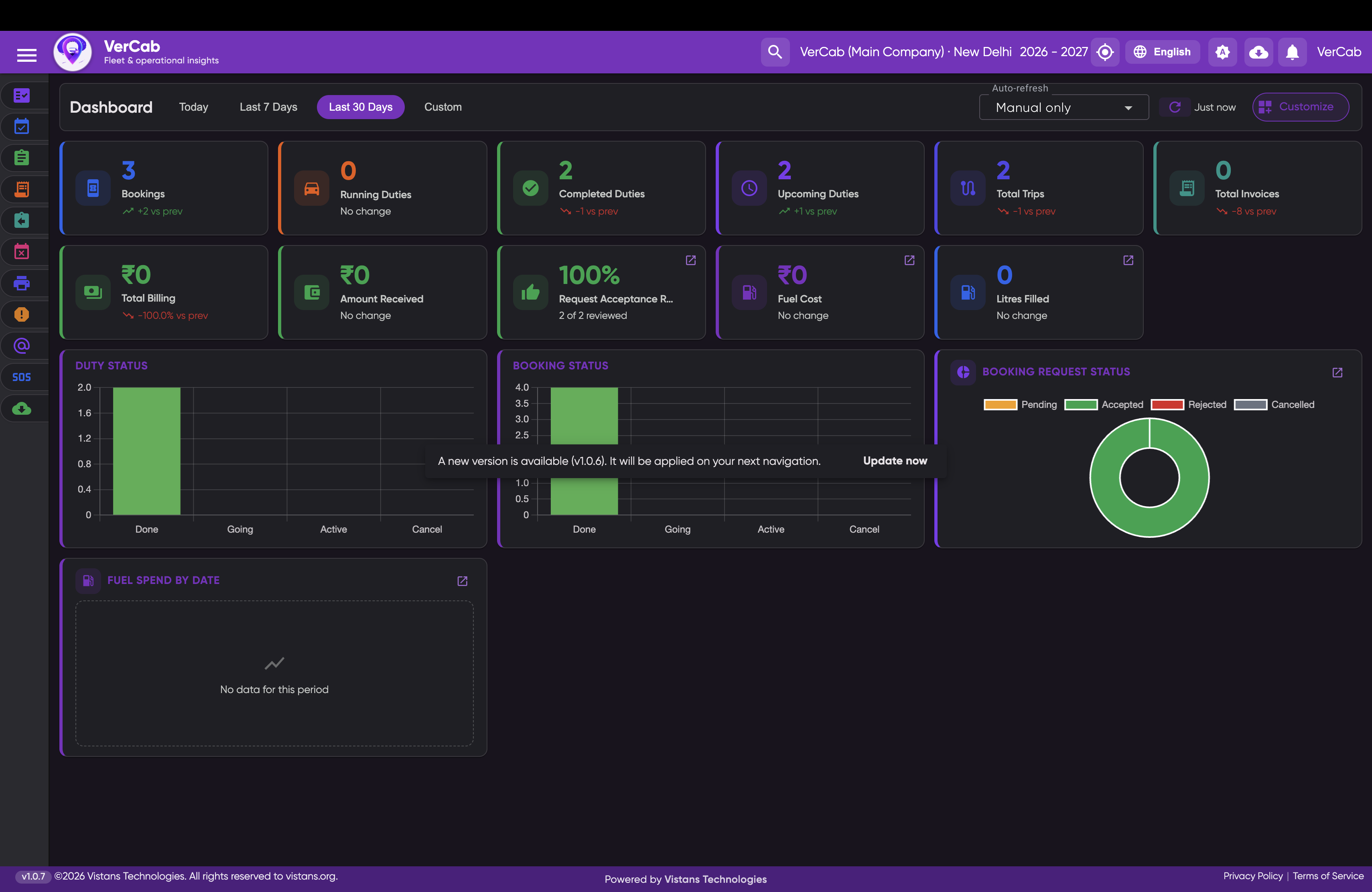
01 / 06 · Product screenshot
View full-size imageBookings, duties, trips and billing for the selected period, with operational status charts and fuel spend in one view.
Mobile App
Where it happens.
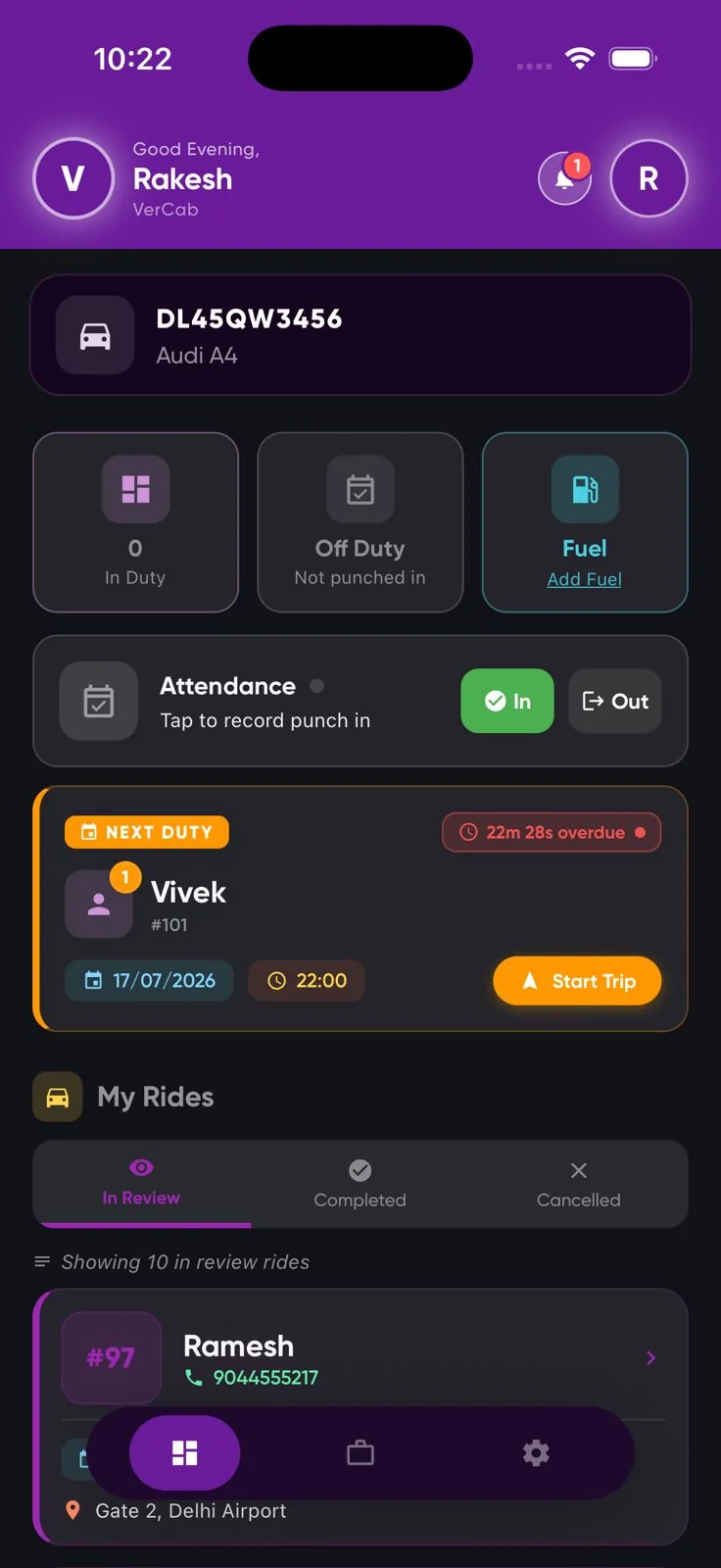
01 / 07 · Product screenshot
View full-size imageThe assigned vehicle, duty state, attendance in and out, and the next duty with its start time.
01
Web Portal
Where the operation is planned, dispatched and settled.
- Full GPS fleet tracking
- Smart booking creation
- Automated duty assignments
- Digital duty slips
- Fleet management
- Fuel management
- Inventory management
- Client management
- Vendor management
- HR management
- Attendance
- Payroll
- Financial accounting
- E-invoicing
- Automated alerts
- SMS
- WhatsApp routing
- Analytics dashboards
- Operational reports
02
Mobile App
Where the operation actually happens — in the vehicle, on the move.
- Live GPS broadcasting
- Duty start and end
- Digital attendance
- GPS verification
- Push notifications
- Expense and fuel logs
- Document uploads
- Licence, RC and permit handling
- Navigation integration
- Real-time sync
How the system works
One booking, from request to invoice.
01
Booking created
A booking enters the portal — raised by an operator, a client or a vendor.
02
Driver notified
The duty is assigned and pushed to the driver's app.
03
GPS tracking
The vehicle broadcasts position and route for the length of the duty.
04
Duty completed
The driver closes the duty; the digital duty slip is the record.
05
Invoice generated
The invoice resolves from the duty it came from, not from a spreadsheet.
Role-based access
Everyone sees their own part of it.
The same journey looks different depending on who is asking. Access is granted by role, so a driver sees their duties and a finance team sees the invoice that came out of them.
- Operations
- Every duty, vehicle and driver in the account.
- Dispatch
- Today's duties, assignment, and live position.
- Driver
- Their own duties, trip state, attendance, documents.
- Travel desk
- Requests raised, approvals pending, journeys running.
- Finance
- Billing, invoices and spend by department.
- Traveller
- Their own journey and the vehicle assigned to it.